

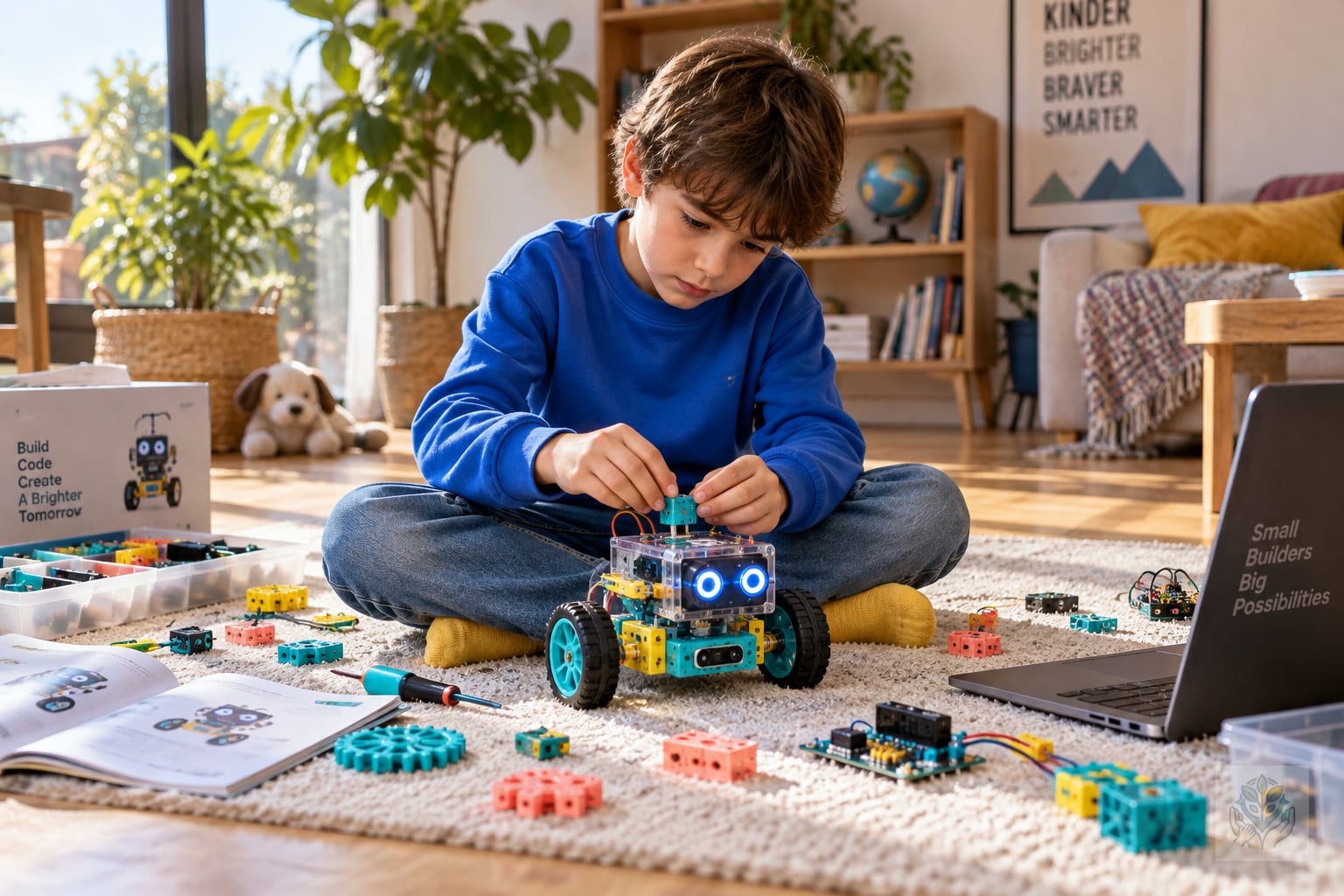
The Ultimate Guide to Robotics Toys for Beginners
Watching your child figure out how to make a motorized toy move across the living room floor is a magical parenting moment. In today’s digital age, early childhood education is shifting rapidly. Parents are constantly searching for meaningful ways to prepare their children for a tech-driven future without relying entirely on passive screen time. Read more on how to manage this balance in our creating a balanced screen time routine guide.
Enter robotics toys for beginners. These interactive tools bridge the gap between education and entertainment. They transform abstract concepts into tangible, hands-on fun.
The Rise of STEM and Robotics in Early Childhood
Educational trends come and go, but STEM learning is here to stay. Science, technology, engineering, and math form the backbone of modern education. Introducing these concepts during early childhood helps normalize complex ideas. It turns intimidating subjects into approachable playground adventures.
Schools across the globe are integrating coding and robotics into their core curricula. However, learning does not have to stop when the school bell rings. Introducing concepts at home allows children to explore at their own pace.
Why Robotics Toys Make Great Gifts for Beginners
Traditional toys are wonderful for imagination, but stem toys offer a unique combination of logic and creativity. When relatives ask what to buy for a birthday or holiday, a beginner robotics kit is a fantastic choice. For more gift ideas, check out our age-wise toy buying checklist.
Unlike standard plastic toys that quickly lose their appeal, robotics products grow with the child. Many modern kits offer progressive challenges. As your child masters basic commands, they unlock new levels of play, ensuring long-term engagement and exceptional value for your family.
What Are Robotics Toys for Beginners?
When shopping online, parents often see dozens of gadgets labeled as educational. Understanding what actually constitutes a beginner robotics tool helps you make an informed purchase.
Defining Beginner Robotics (Beyond Just ‘Moving Toys’)
A remote-controlled car moves when you press a button, but it is not necessarily a robot. True educational robots involve logic, input, and output. They require the user to input a sequence of instructions, teaching foundational programming logic.
Beginner-friendly options remove the intimidating syntax of professional coding languages. Instead, they rely on physical buttons, color cards, or simple app interfaces. This ensures children grasp the underlying logic long before they ever type a line of computer code.
The Core Components: Mechanics, Electronics, and Coding
Every quality starter robot introduces three fundamental pillars of engineering:
- Mechanics: Gears, wheels, chassis, and physical structures that allow movement.
- Electronics: Motors, sensors, battery packs, and wiring that bring the machine to life.
- Coding: The instruction set that tells the mechanical and electronic parts what to do and when to do it.
The Benefits of Introducing Robotics Early
Investing in interactive learning tools yields dividends far beyond a basic understanding of technology. The cognitive benefits impact nearly every area of a child’s development.
Developing Critical Thinking and Problem-Solving Skills
When a robot fails to follow a programmed path, a child must put on their detective hat. They examine the code, check the physical connections, and test alternative solutions. This structured troubleshooting builds robust critical thinking skills.
Fostering an Early Interest in STEM (Science, Technology, Engineering, Math)
Many adults feel intimidated by mathematics and engineering because they encountered them too late or too rigidly. By integrating these subjects into play, children develop positive emotional associations with STEM disciplines early in life. Discover more tools in our complete guide to STEM toys.
Building Resilience Through Trial and Error
Perfectionism can paralyze young learners. Robotics teaches children that failure is simply data. Every mistake brings them one step closer to a successful outcome, fostering a resilient growth mindset.
How to Choose the Right Robotics Toy by Age
Matching a toy to your child’s developmental stage is crucial for preventing frustration and boredom. Here is a quick guide to finding age-appropriate coding toys.
Ages 4–6: Screen-Free Coding and Cause-and-Effect Robots
At this stage, fine motor skills are developing, and screen time is often limited. Look for floor robots that use tactile buttons or puzzle pieces for programming. Children learn cause-and-effect as they press forward three times and watch their robot navigate a maze.
Ages 7–9: Simple Block-Based Programming and Modular Kits
Elementary students are ready for visual, block-based coding environments like Scratch Junior. Modular kits that snap together magnetically allow kids to build custom creatures while learning loops, events, and conditionals.
Ages 10+: Advanced Building, Sensors, and Real Programming Languages
Tweens and teens can handle complex structural builds involving metal parts, microcontrollers, and sensors. Many of these advanced systems support Python or JavaScript, bridging the gap between toy play and real-world software engineering.
Top Robotics Toys for Beginners in 2024
With so many options on the market, narrowing down the choices can feel overwhelming. Here are some top-rated options backed by educator recommendations.
Best for Toddlers: Botley the Coding Robot
Botley is completely screen-free, making him an ideal entry point for younger children. Kids use a remote programmer to send Botley on obstacle courses, introducing loops and if-then logic seamlessly. For more early options, look at our best coding toys for young children guide.
Best for Elementary Kids: LEGO Education / Dash Robot
Dash is a dynamic, expressive robot that responds to voice commands, sings, and dances. Paired with intuitive tablet apps, Dash keeps kids engaged through endless challenges and creative storytelling prompts.
Best DIY Kit for Tweens: mBot by Makeblock
For children who love building things from scratch, the mBot is an incredible value. It combines mechanical assembly with graphical programming, allowing kids to build obstacle-avoiding cars and line-following racers. You can explore more ideas for building skills through our diy crafts for problem-solving skills.
Tips for Parents: Getting the Most Out of Robotics Play
Buying the toy is only the first step. Your involvement can significantly amplify the educational impact.
Co-Playing vs. Independent Exploration
Give your child time to explore independently, but step in when they hit a roadblock. Ask guiding questions rather than providing the answer directly. Say things like, what do you think will happen if we change this block?
Creating a Dedicated Workspace
Designate a low table or a clear floor space for engineering projects. Having a consistent spot helps children leave unfinished projects out, encouraging them to return later with fresh ideas.
Encouraging Creativity Over Following Instructions
Instruction manuals are helpful, but true innovation happens when children experiment. Encourage your child to modify pre-designed builds into entirely new creations.
Conclusion
Introducing robotics toys for beginners is one of the most rewarding investments you can make in your child’s future. By blending hands-on play with foundational coding and engineering concepts, you prepare them to navigate an increasingly technological world with confidence and curiosity.
Ready to spark your child’s imagination? Explore our top recommended products today and take the first step toward exciting family STEM adventures!
Frequently Asked Questions
What are robotics toys for beginners?
They are interactive educational tools that introduce children to mechanics, electronics, and coding through hands-on play rather than intimidating computer syntax.
At what age can kids start playing with robotics toys?
Children as young as 4 can start with screen-free, cause-and-effect floor robots. More complex building kits are better suited for ages 7 and up.
Do beginner robotics toys require screen time?
Not necessarily. Many toddler and beginner robotics toys are entirely screen-free, using physical buttons, remote programmers, or tactile puzzle pieces instead.
How do robotics toys help with STEM learning?
They teach critical thinking, problem-solving, and basic programming logic while helping children develop a positive emotional association with science and engineering.
What is the difference between a remote-controlled car and a robot?
A remote-controlled car simply reacts to immediate button presses, whereas a true educational robot requires logical programming sequences, inputs, and outputs.
How can parents support their child’s robotics play?
Parents can co-play by asking guiding questions when children face roadblocks, creating a dedicated workspace, and encouraging creative modifications over strict instructions.