

How to Include Screen Time in a Daily Schedule: A Stress-Free Guide for Parents
In the modern household, digital devices are often seen as an enemy to productivity and family connection. Many parents find themselves locked in a daily cycle of negotiation, guilt, and frustration over when and how much their children should be using screens. However, the goal of parenting in the digital age is not necessarily total abstinence, but rather intentional management.
Learning how to include screen time in a daily schedule is one of the most effective ways to remove the emotional charge from digital usage. When screen time becomes a predictable part of the day rather than a random reward or a source of conflict, you regain control over your family’s environment. This guide will help you build a routine that supports your child’s development while keeping your sanity intact.
Why Screen Time Needs a Place in Your Routine
The biggest source of stress for parents is often the unpredictability of screens. When screen access is arbitrary, children learn that if they ask enough times or throw a big enough tantrum, they might eventually wear you down. By integrating devices into your structured family daily routine, you eliminate the constant negotiation.
It is important to understand the difference between passive and active screen time. Passive consumption involves staring blankly at videos, while active screen time involves coding, creative design, or interactive educational games. Predictability provides children with a sense of security; when they know exactly when their digital time is coming, they are less likely to demand it during prohibited hours.
Preventing the Screen Time Negotiation Meltdown
Children crave boundaries. When you set a clear schedule for screen usage, you shift the authority from yourself to the clock. Instead of hearing you say no, the child sees the schedule and understands that the time simply hasn’t arrived yet. This simple shift reduces power struggles and helps children build self-regulation skills over time. You can explore more gentle methods in this guide on how to say no without creating a power struggle.
Recommended Guidelines for Screen Time by Age
One size does not fit all when it comes to technology. Developmental needs change rapidly between the ages of two and twelve, and your approach should reflect that. For toddlers aged 2-5, prioritize high-quality, educational content and limit exposure to short, manageable bursts. Their brains are developing rapidly, and they benefit far more from hands-on play than digital interaction. For younger children, you can also incorporate wonderful educational tools like those found in our complete guide to Montessori toys for every age.
For school-age children (6-12), the challenge is balancing homework, extracurricular activities, and digital downtime. This is an ideal age to introduce the concept of earning screen time through the completion of responsibilities. Regardless of age, it is crucial to establish no-screen zones. Bedrooms and the dinner table should remain sacred spaces where technology is not allowed, ensuring that sleep hygiene and family interaction remain priorities.
Step-by-Step: How to Include Screen Time in a Daily Schedule
Before you implement a new plan, take a moment to audit your current flow. Track how your family spends their afternoons for three days. You will likely notice patterns—gaps where kids become restless or times when you are most prone to using devices as a digital babysitter. If you are looking for structured afternoon frameworks, you might find inspiration in these stress-free after-school routine ideas for kids.
- The After-School Transition: Instead of immediate screen time, use the first hour after school for outdoor play or a healthy snack. This physical reset helps children decompress from the school day naturally.
- Using Screens as a Reward: Position screen time as a bridge between finishing chores and beginning bedtime routines. This makes technology a positive outcome of a productive day.
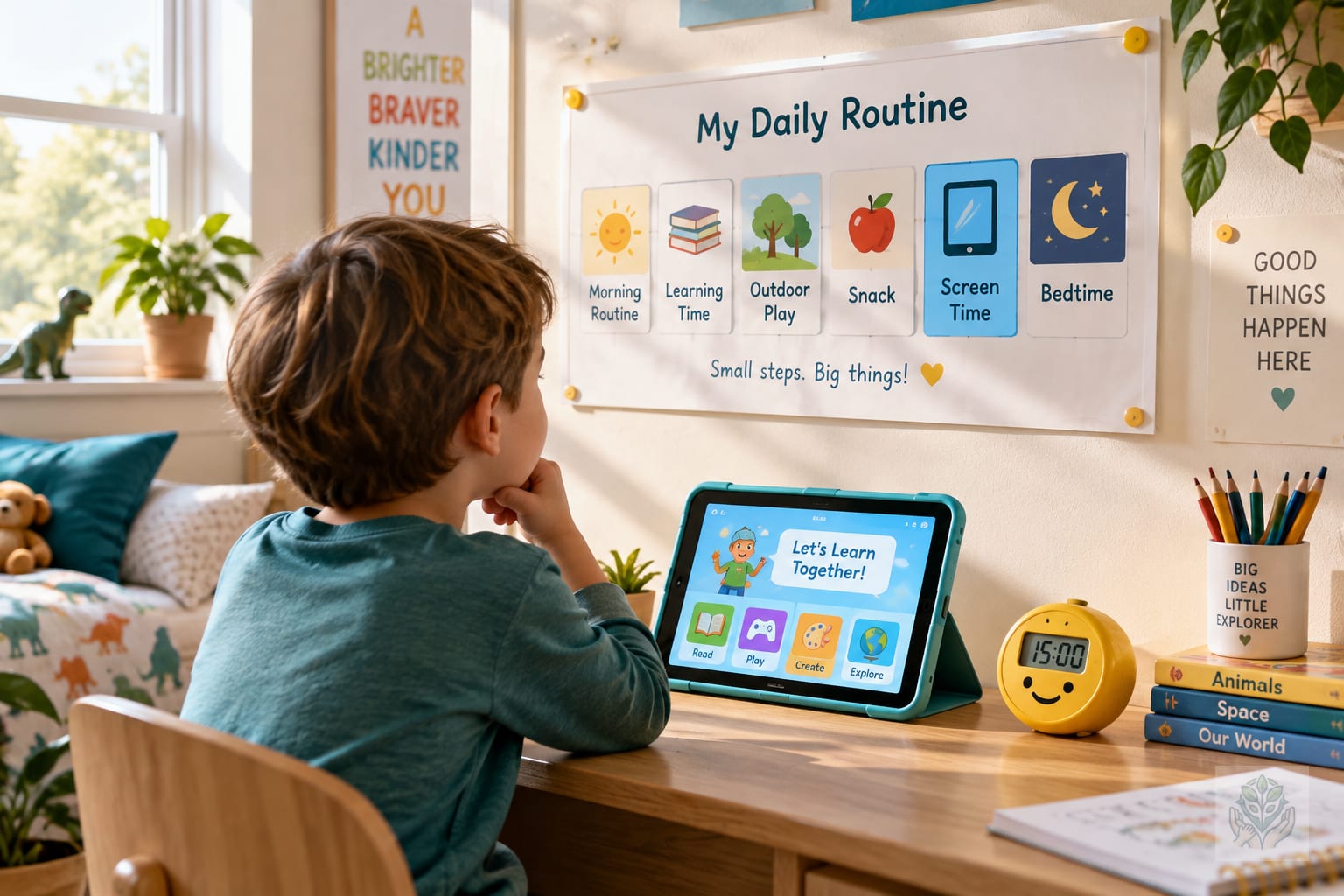
- Visual Routine Charts: For younger children, a visual chart is essential. Use pictures to show the sequence of their day, with a dedicated block for technology. When they can see the sequence, they feel more in control of their day.
Best Practices for Implementation
Implementation is where most parents stumble. The key is to rely on external tools rather than your own verbal reminders. Use physical timers or smart home alarms to announce when a session is ending. Hearing a digital chime from a timer is much less personal than hearing your voice, which keeps you in the role of the supportive coach rather than the digital police officer.
Always incorporate a cool-down period. If a child stops playing a high-stimulation game abruptly, they are likely to feel frustrated. Give them a five-minute warning and perhaps suggest a transitional activity, like drawing or listening to a podcast, to help them shift gears before bed.
Finally, embrace co-viewing whenever possible. Watching a show together or playing a game side-by-side allows you to discuss what you see. It turns a solitary habit into a shared experience, which builds connection and allows you to monitor the content more effectively.
Troubleshooting Common Challenges
Even with the best planning, life happens. If a tantrum occurs when the timer goes off, stay calm. Validate their feelings by saying, I know it is hard to stop when you are having fun, but the time is up. Do not negotiate or extend the time, as this teaches them that the rules are flexible under pressure. For additional help dealing with behavioral pushback, read our tips on what to do when your toddler says no to everything.
If your schedule gets disrupted by an appointment or a late day at school, do not panic. Flexibility is part of a healthy child screen time management strategy. If a day goes off the rails, simply reset the next morning. During weekends and holidays, consider a device-free morning policy. By pushing screen time to the afternoon, you encourage creative play during the early hours of the day. To keep them entertained offline during those weekend hours, check out these engaging indoor activities that build gross motor skills.
Conclusion
Learning how to include screen time in a daily schedule is a journey of trial and error. Consistency is your best tool, but grace is equally important. Your goal is to foster a healthy relationship with technology that serves your family rather than dictating it. Focus on steady progress, avoid the trap of perfectionism, and keep building those positive habits one day at a time.
Ready to get started? Download our free printable Daily Routine Planner to map out your week and bring some much-needed balance back into your home today. For more overarching strategies on managing digital habits, you can also review our guide on creating a balanced screen time routine for kids.
Frequently Asked Questions
Why should screen time be included in a daily schedule?
Including screens in a predictable routine eliminates constant negotiations and tantrums. It teaches children that technology has a designated place and time.
How can I prevent meltdowns when screen time ends?
Use external timers instead of your voice to signal the end of a session, and always provide a five-minute warning paired with a transitional activity.
What is the difference between active and passive screen time?
Passive screen time involves passively watching videos, while active screen time includes coding, creative design, or interactive educational games.
What are the best no-screen zones in a home?
Bedrooms and the dinner table should always be kept as tech-free zones to ensure healthy sleep hygiene and meaningful family interactions.
How much screen time is recommended for toddlers?
For toddlers aged 2 to 5, prioritize high-quality educational content in short, manageable bursts, while focusing primarily on hands-on play.
What should I do if my child throws a tantrum when screens are turned off?
Stay calm, validate their feelings, and hold the boundary firmly without negotiating or extending their screen time.